
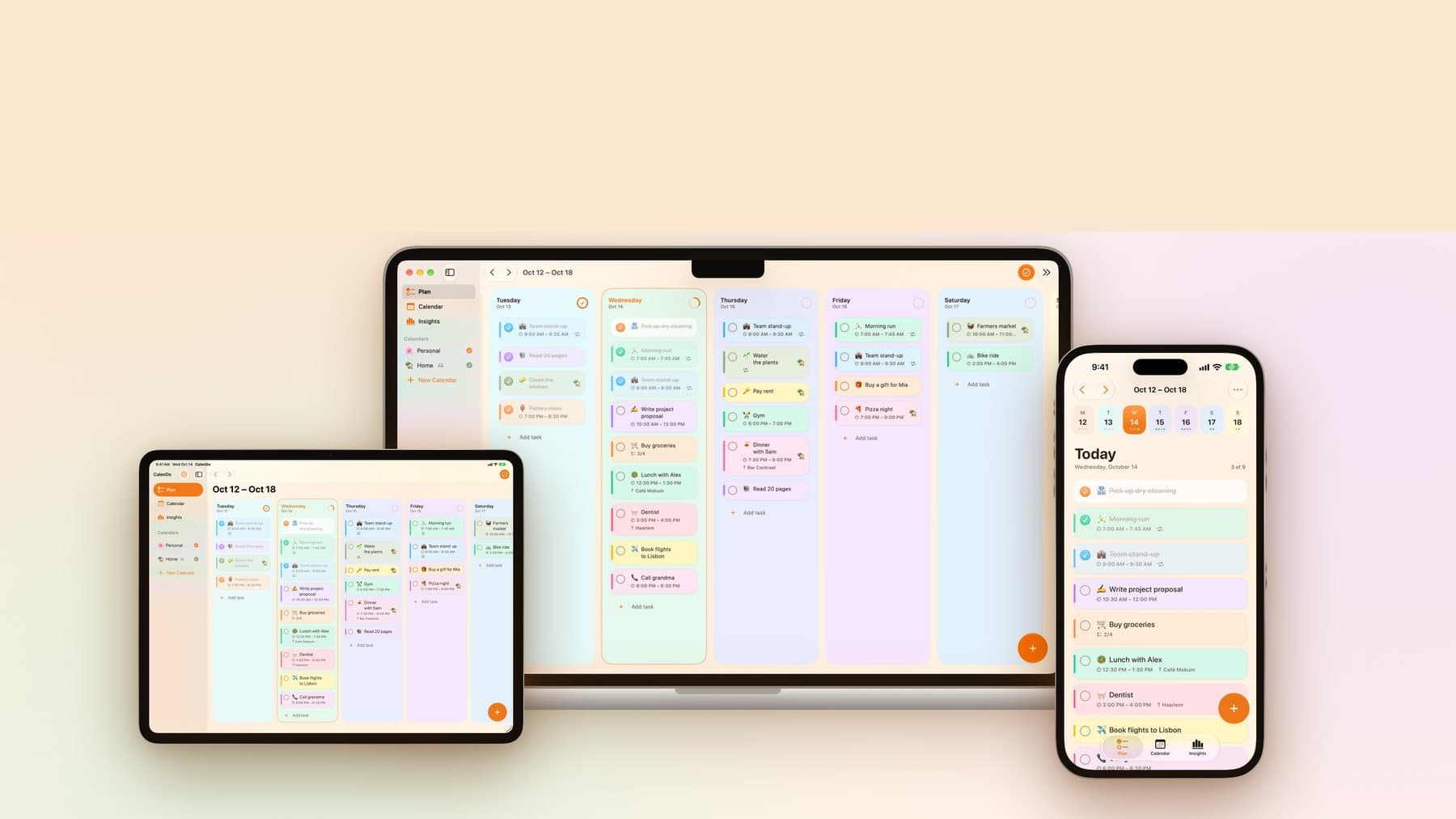
CalenDo is a free planner app for iPhone, iPad and Mac, built by Digilize Agency in Haarlem. It puts your tasks and your appointments on one board, so you can see what is next without jumping between apps. It needs no account, shows no ads and does not track you. CalenDo is available on the App Store in English and German.
We built CalenDo ourselves. It started as an internal experiment and is now a product people use to plan their day.
Meet Kalli
Kalli is the little calendar page who lives in CalenDo. Kalli listens when you talk, turns what you said into tasks and cheers when your day is done. Hover to make Kalli hop, or tap to cheer along.
Why we built CalenDo
CalenDo began in early 2025 as a small web app. We wanted to see how quickly we could take an everyday problem, keeping tasks and appointments in one place, and turn it into something people would actually use.
The web version let us try the board, the colours and quick add before committing to anything bigger. In October 2026 we rebuilt it from scratch as a native app for Apple devices, so it could live where people plan: on the phone, on the Lock Screen and in a real Mac window.
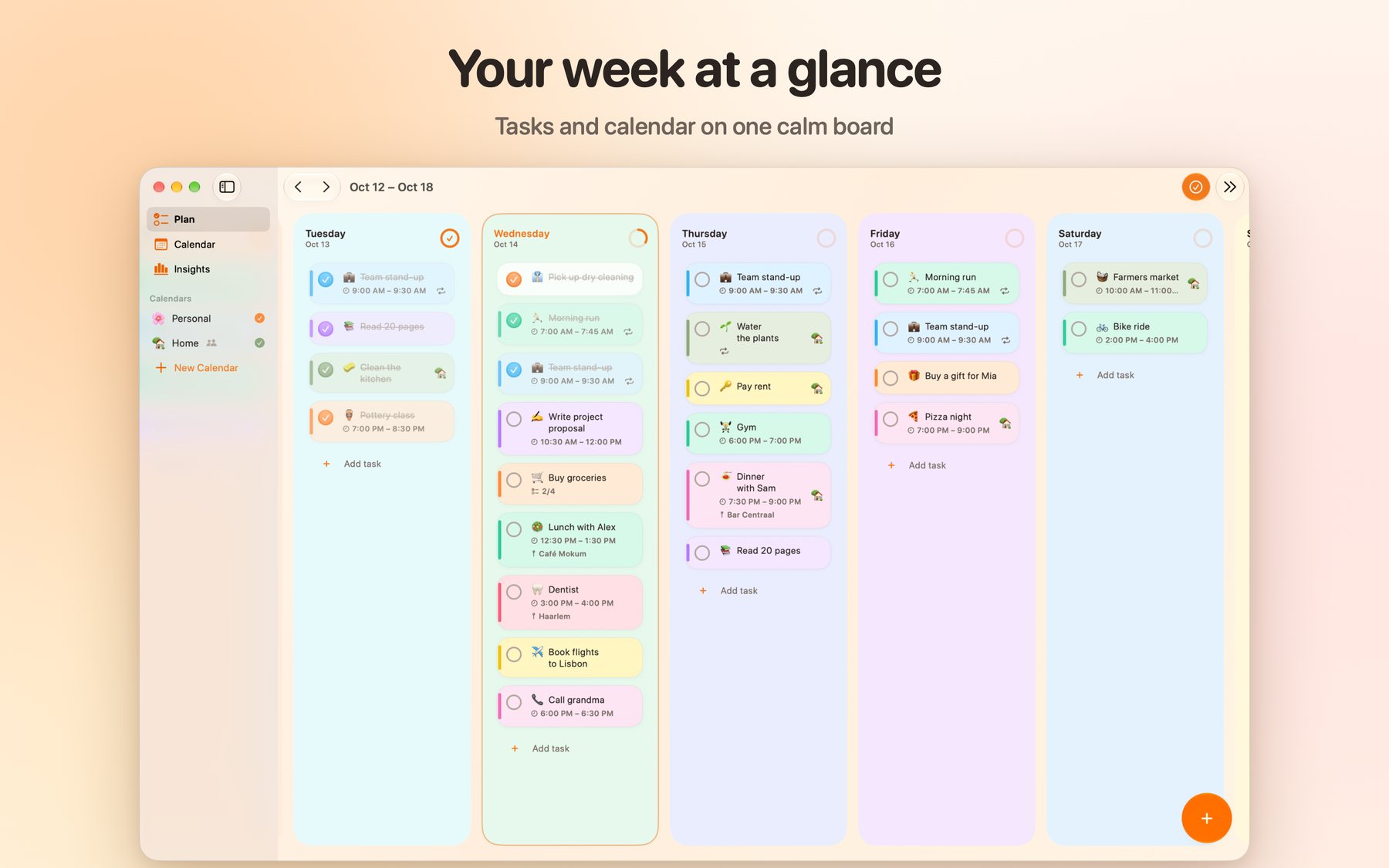
What CalenDo does
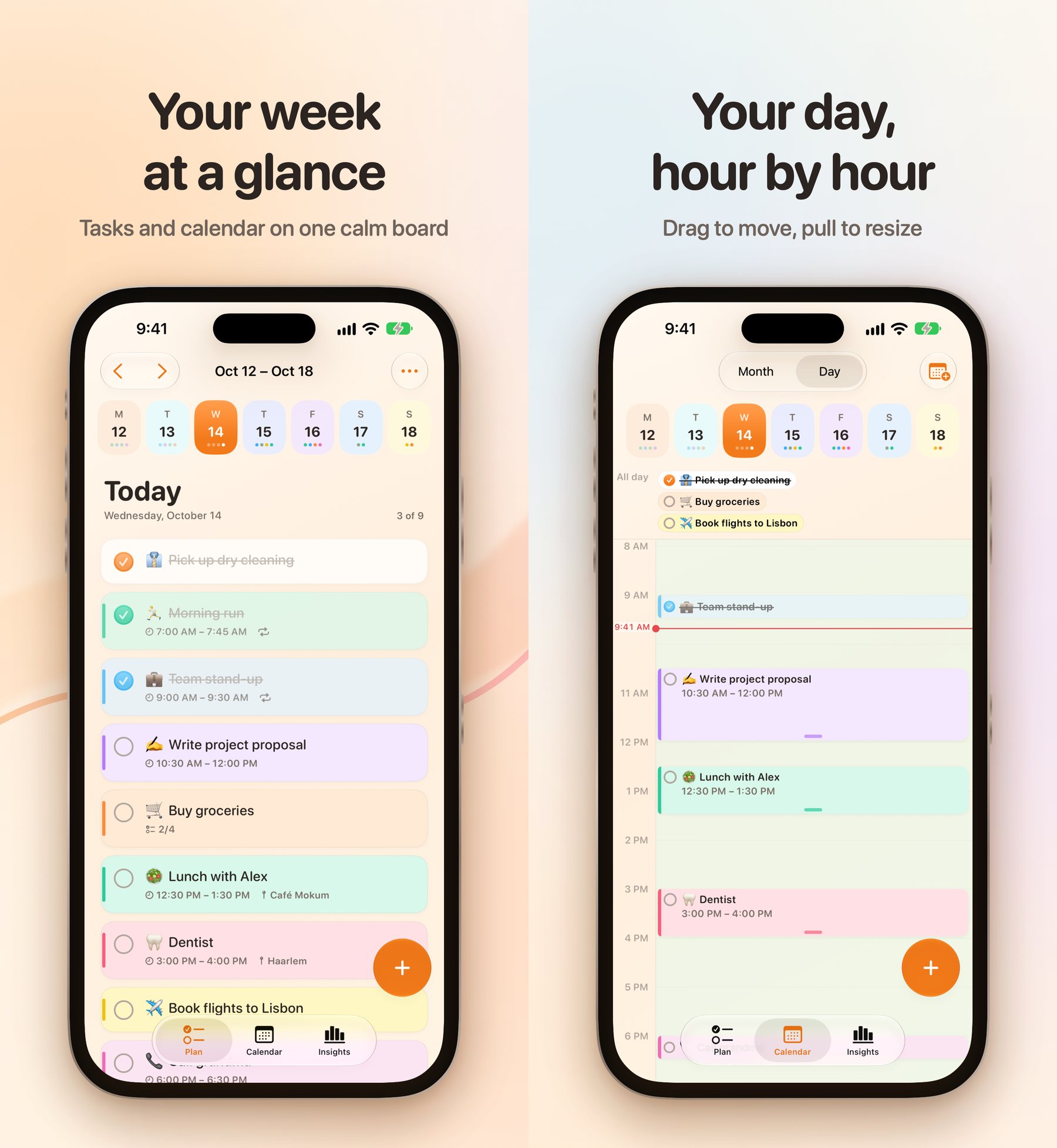
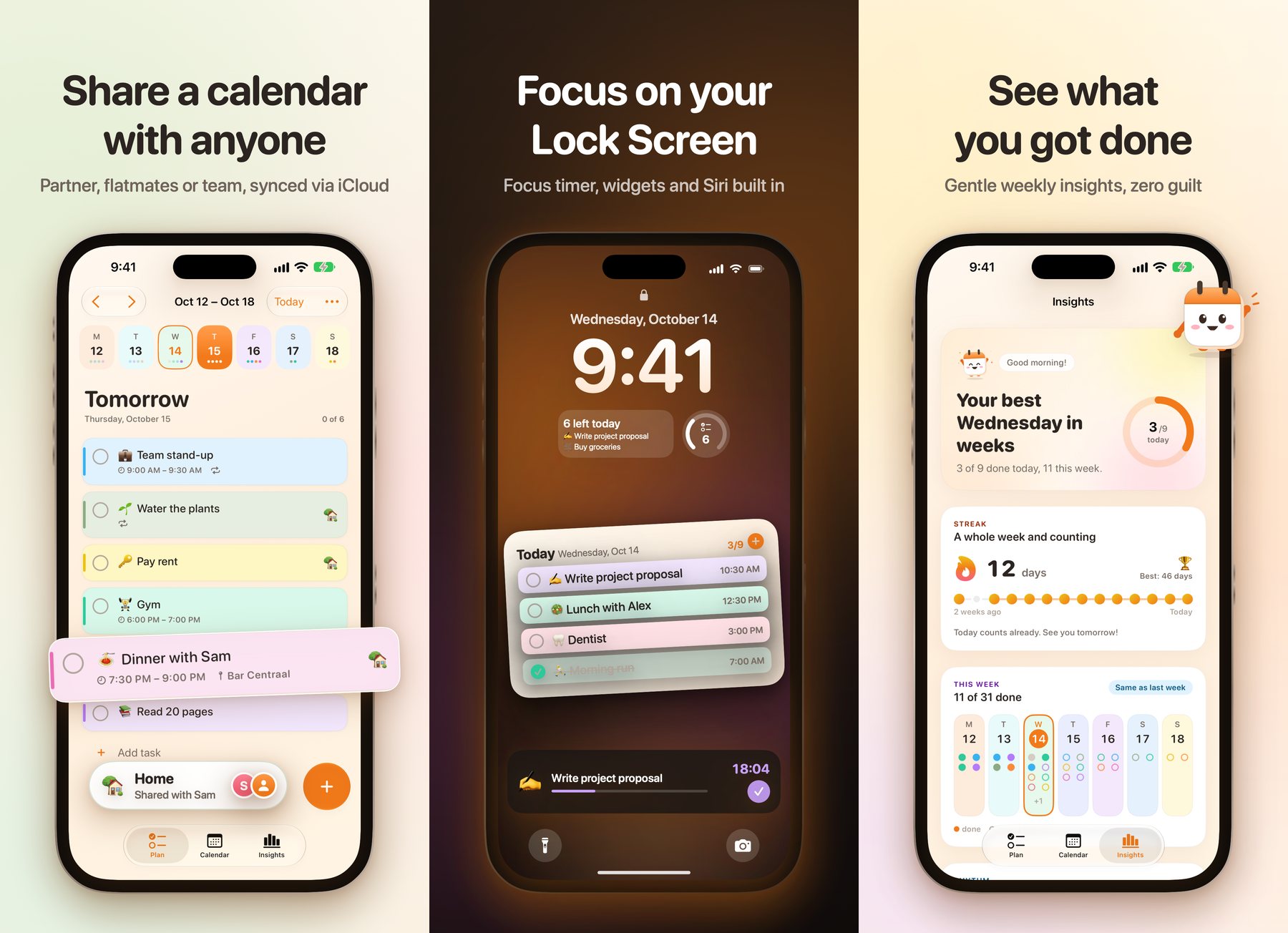
- Your week on one board. A week strip, a clear list for today, and month and day views hour by hour. Drag a task to a new time, pull its edge to make it longer.
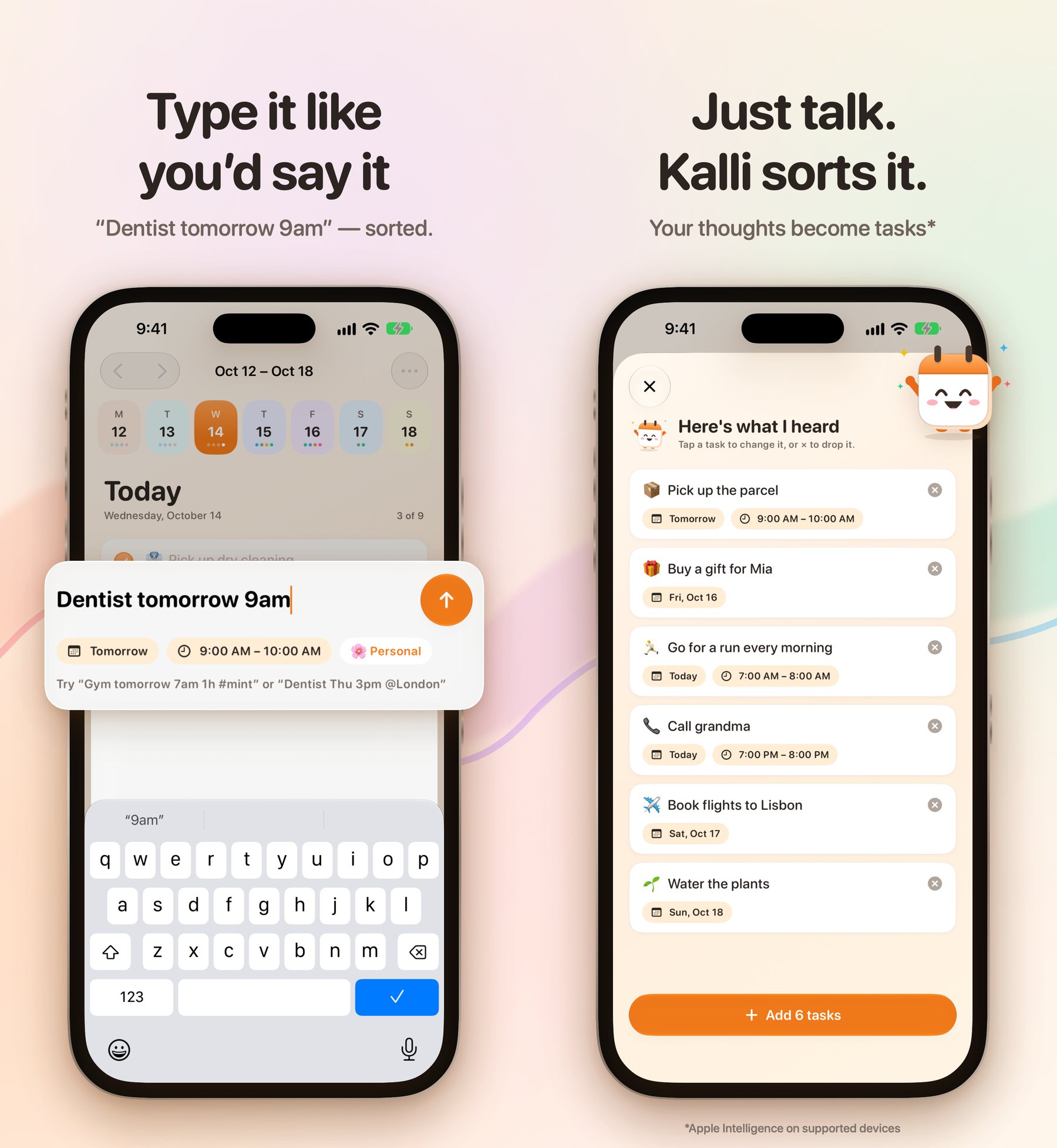
- Type it like you would say it. "Dentist tomorrow 9am" becomes a task on the right day, at the right time.
- Or just talk. Tell Kalli what is on your mind. CalenDo splits it into separate tasks that you check and add in one go.
- Plan together. Share a calendar with your partner, flatmates or team through iCloud. Everyone sees changes right away.
- Stay on track. A focus timer on the Lock Screen and in the Dynamic Island, widgets, Siri, and a weekly overview of what you got done.
Kalli's mood follows what you are doing in the app.
How CalenDo keeps your plans private
CalenDo has no account, no ads and no tracking. Tasks sync through each person's own iCloud. We do not run a server that stores them, so we cannot see them. Speech recognition runs on the device, and so does Apple Intelligence where it is available.
We hold our client work to the same standard. The people who use a system should stay in control of the data in it.
How we built CalenDo
Test the idea on the web
The web version gave us a working board to use and change, long before there was an app.
Rebuild it natively
On 4 October 2026 we started the native app: one codebase for iPhone, iPad and Mac, built with Apple's own tools so it feels at home on each device.
Put it in people's hands
Beta testers used CalenDo every day through TestFlight and sent us screenshots of anything that felt off.
Ship in small steps
Ten days after the first line of native code, version 1.4 was live on the App Store.
Questions about CalenDo
Is CalenDo free?
Yes. CalenDo is free to download from the App Store. There is no account to create and there are no ads.
Which devices does CalenDo run on?
iPhone and iPad with iOS 26 or iPadOS 26 and later, and Mac with macOS 26 and later. Your plans stay in sync across all of them through iCloud.
Does CalenDo work offline?
Yes. Your plans are stored on your device, so you can plan without a connection. Changes sync through iCloud once you are back online.
Can I share a calendar with someone?
Yes. Invite your partner, flatmates or team through iCloud. They see your changes right away, and you see theirs.
Which languages does CalenDo support?
English and German.
Is this something for your business?
CalenDo is our own product, but it was built the way we build for clients: a working version early, real people testing it, small updates shipped quickly, and data that stays with its owner. If you have an app or internal tool in mind, or one that never made it past the planning stage, get in touch. With Solution Engineering we build it. Or download CalenDo first and plan your week with it.